Linking to LibreView and LibreLinkUp
In order for you to share your FreeStyle Libre sensor data with LibreLinkUp, you first need to connect your PodderCentral® account to your LibreView account. You can link and unlink your accounts at any time.
To link and unlink your LibreView accounts in PodderCentral visit poddercentral.com
To Link your Accounts:
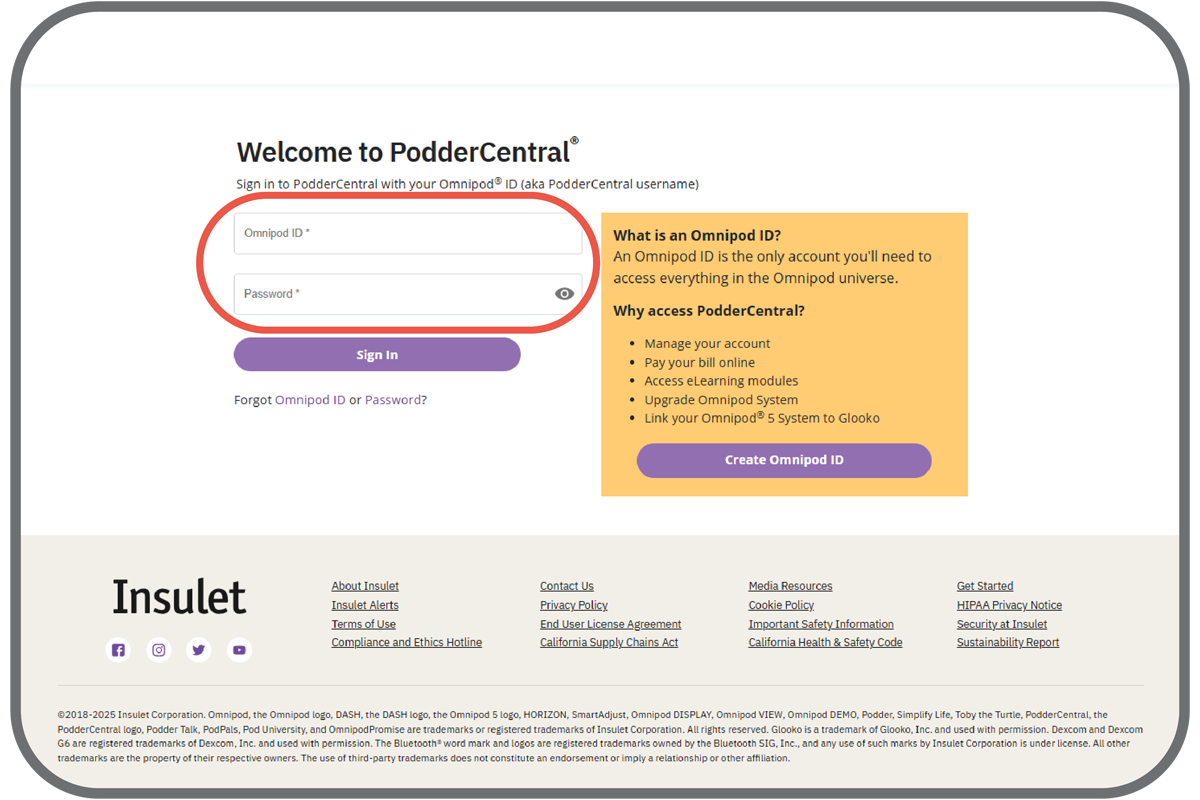
Sign in to your PodderCentral account.
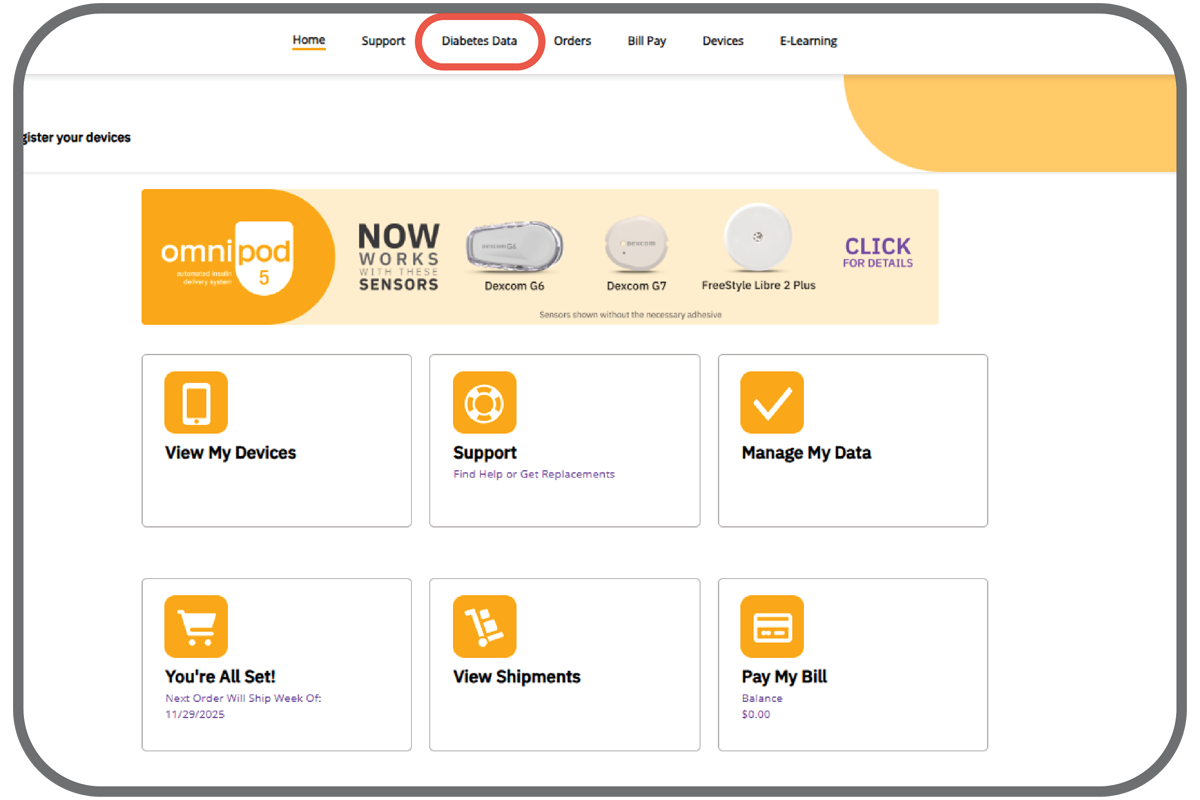
Click the ‘Diabetes Data’ tab.
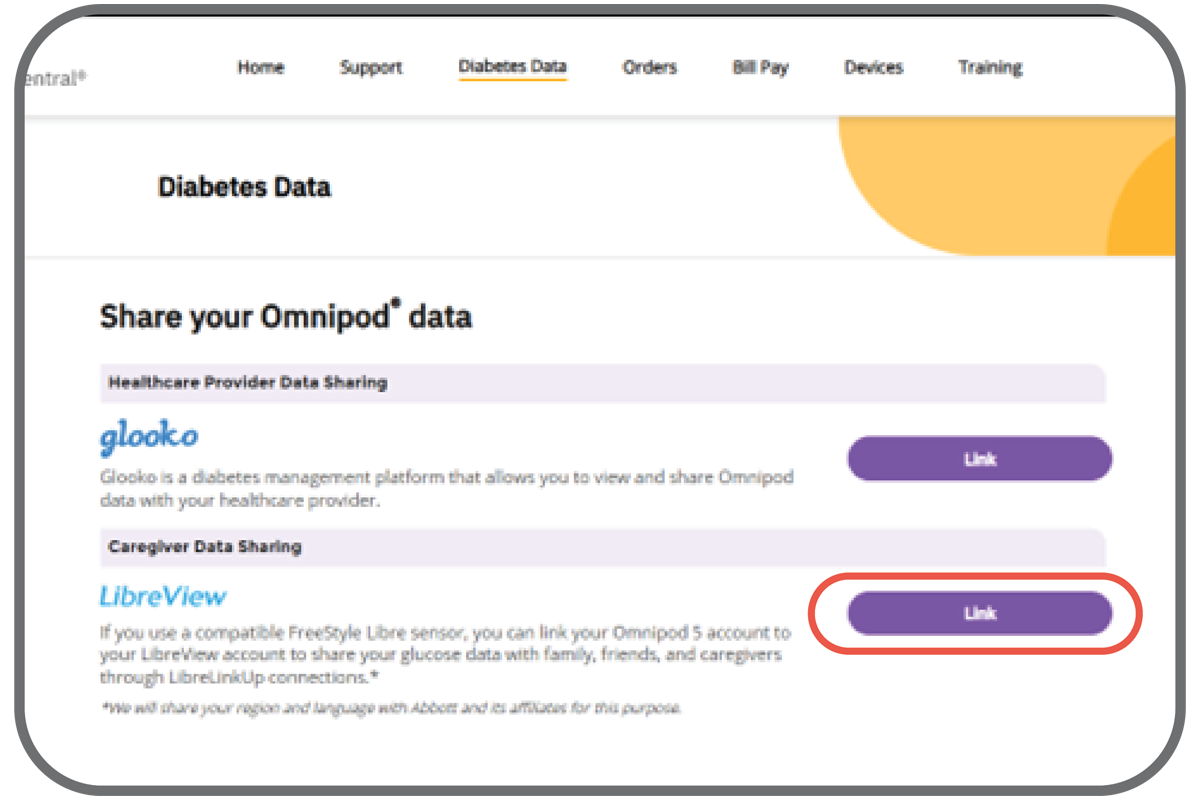
Click ‘Link’ next to LibreView.
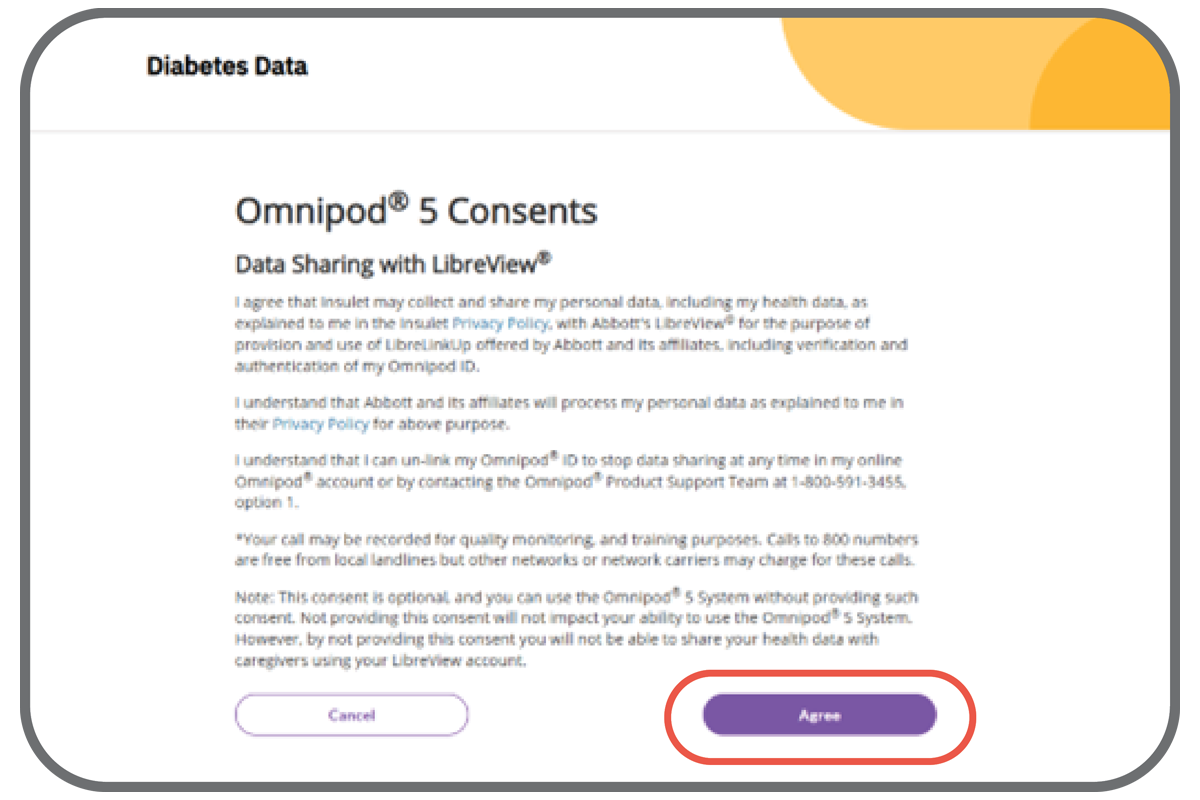
Agree to the Data Sharing Consents.
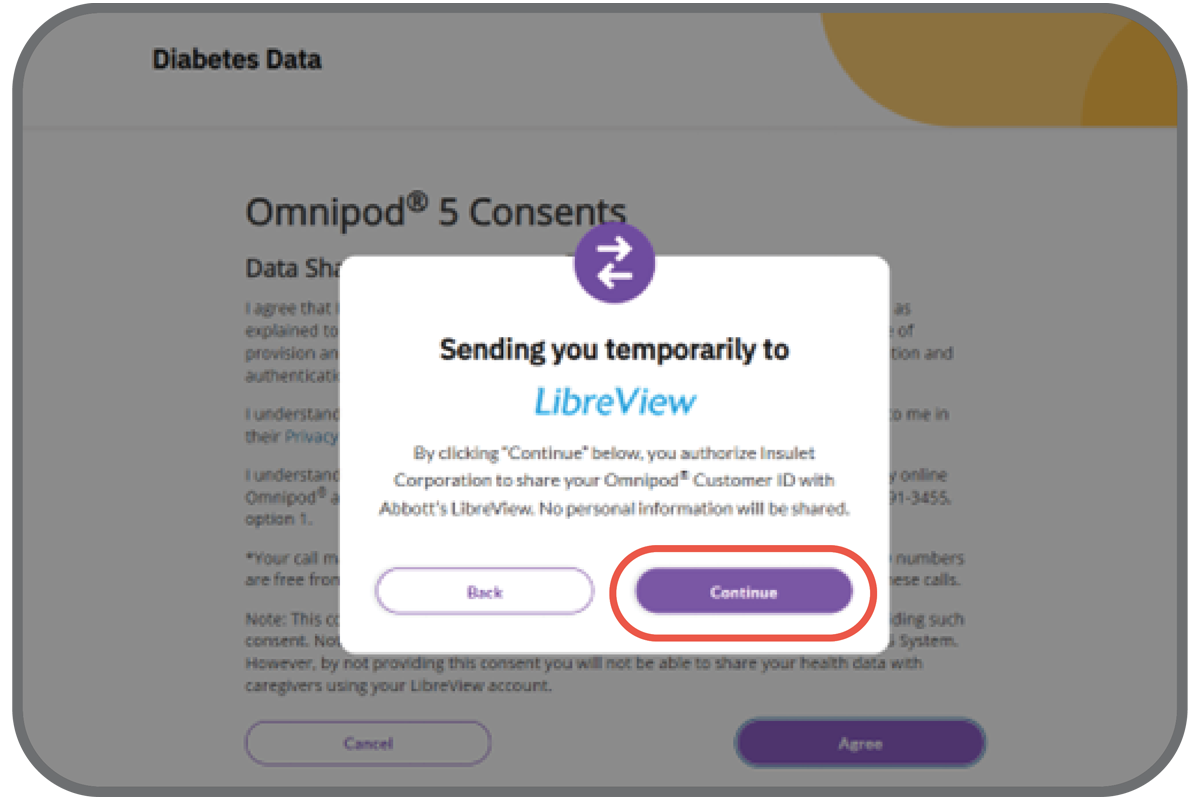
You will then be directed to the LibreView website.
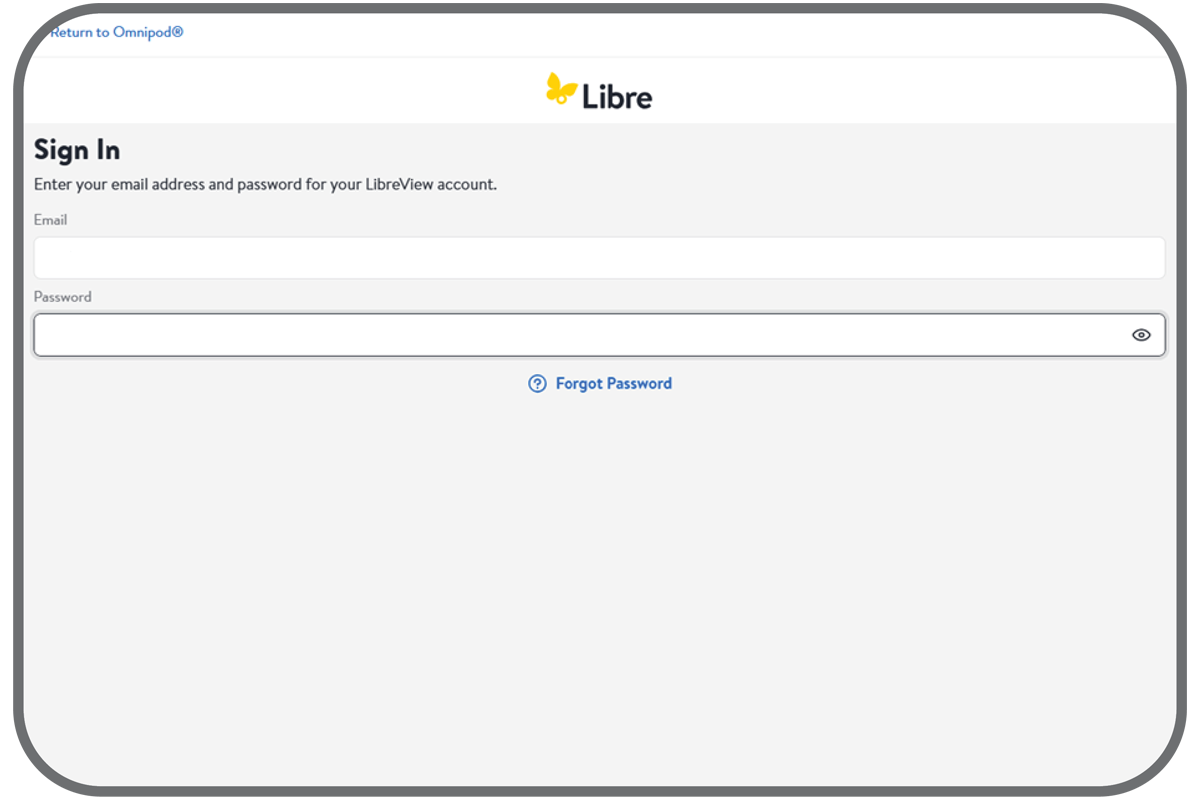
Log in to your Libre account or create a new one.
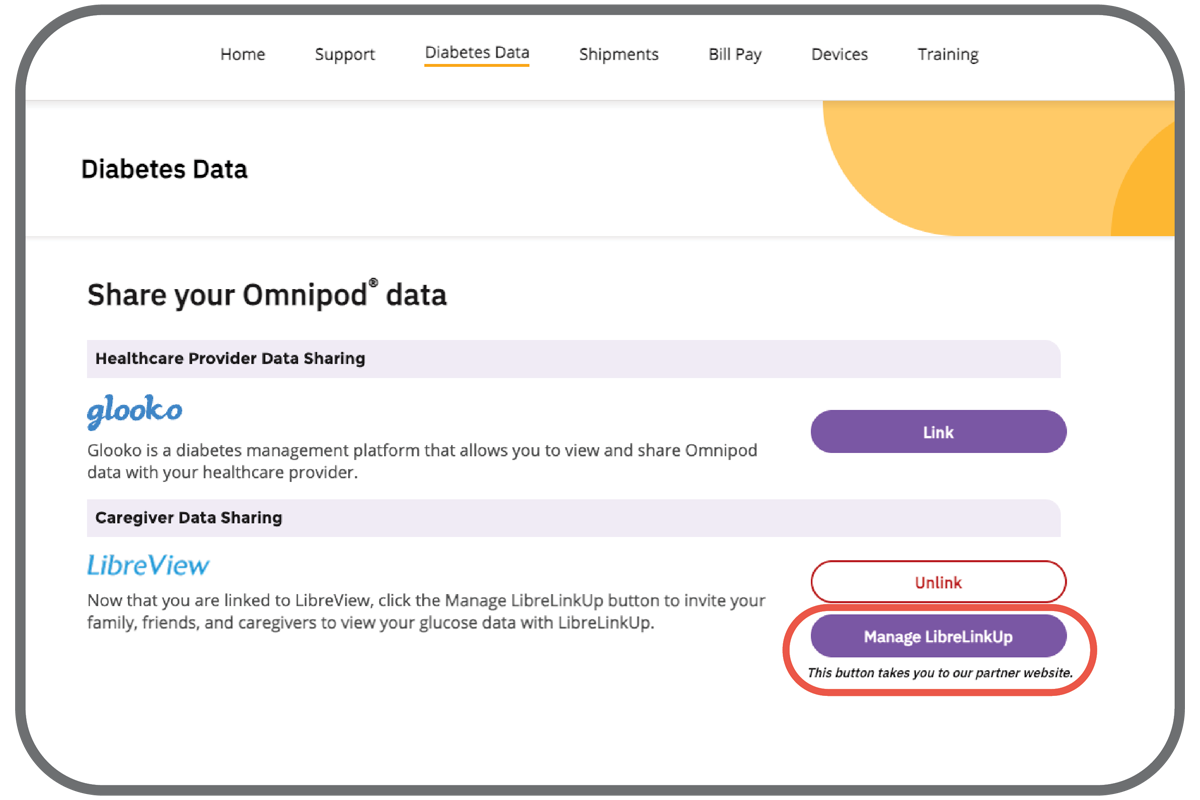
After logging in, you will be brought back to PodderCentral. You can now click ‘ManageLibreLinkUp’ to add followers.
To Unlink your Accounts:
Sign in to your PodderCentral account.
Click the ‘Diabetes Data’ tab.
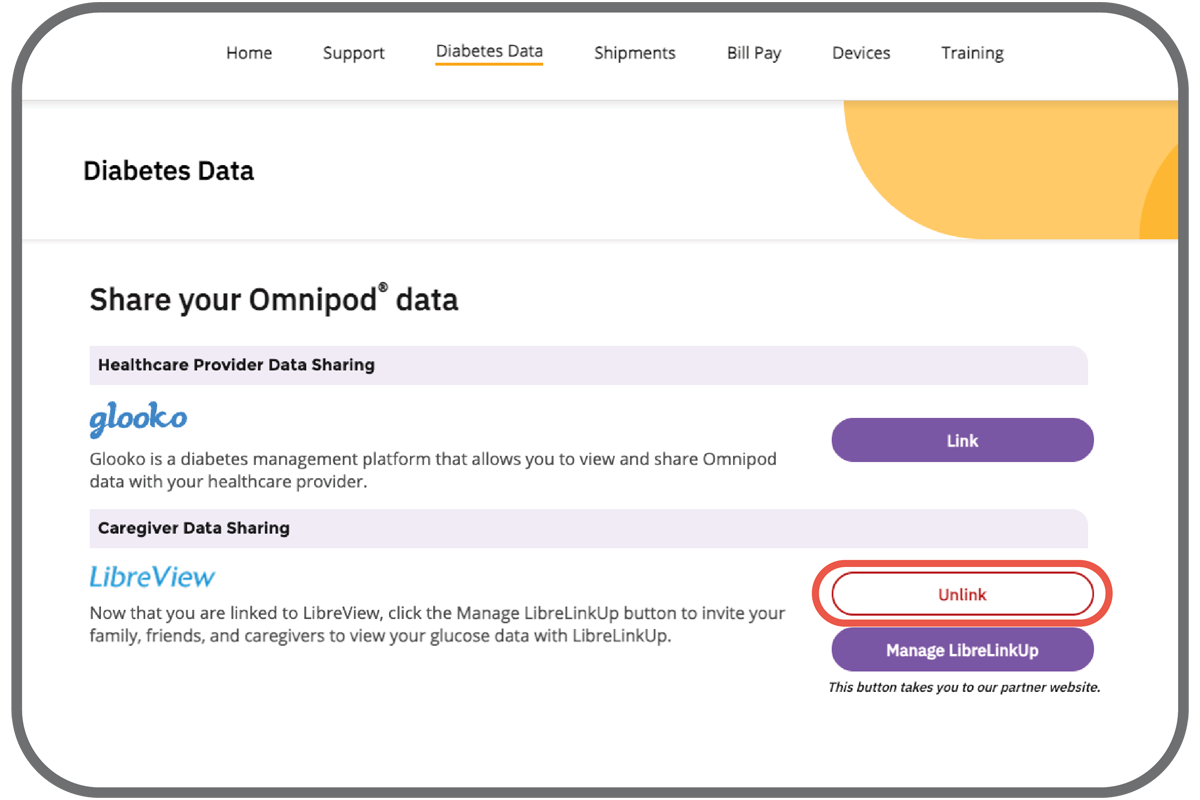
Click ‘Unlink’ next to LibreView.
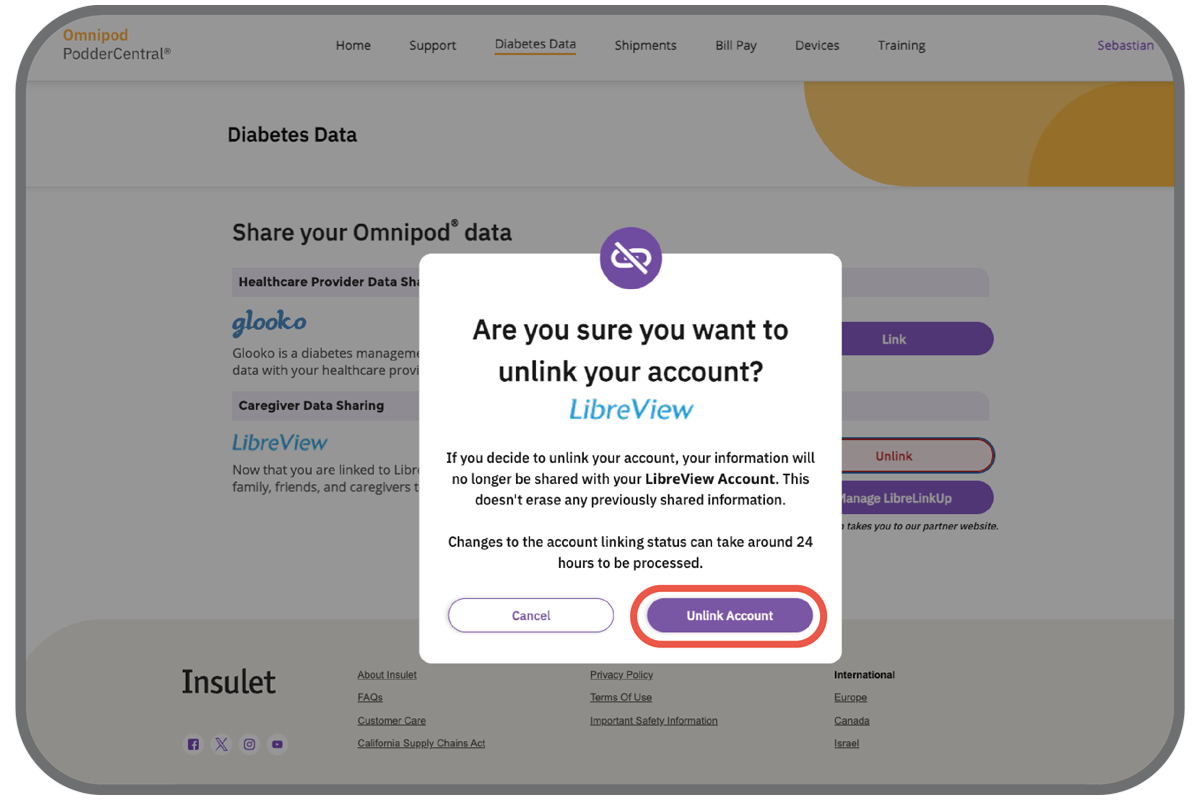
Confirm that you would like to unlink your accounts.
Questions? Sign in to PodderCentral and chat online with a live agent or contact Customer Care at 1-800-591-3455, option 1.
For full FreeStyle Libre 2 Plus sensor safety information, please visit
https://www.freestyle.abbott/us-en/safety-information.html