Bolus Settings Quick Glance Guide
A guide for editing bolus settings on an iPhone:
Bolus Settings options include Maximum Bolus, Extended Bolus, Target Glucose & Correct Above, Minimum Glucose for Calculations, Insulin to Carb Ratio, Correction Factor, Duration of Insulin Action, and Reverse Correction. Talk to your healthcare provider about the right settings for you, then use this guide to make the changes. For detailed descriptions of each Bolus Setting, review the Omnipod® 5 Technical User Guide at omnipod.com/guides.
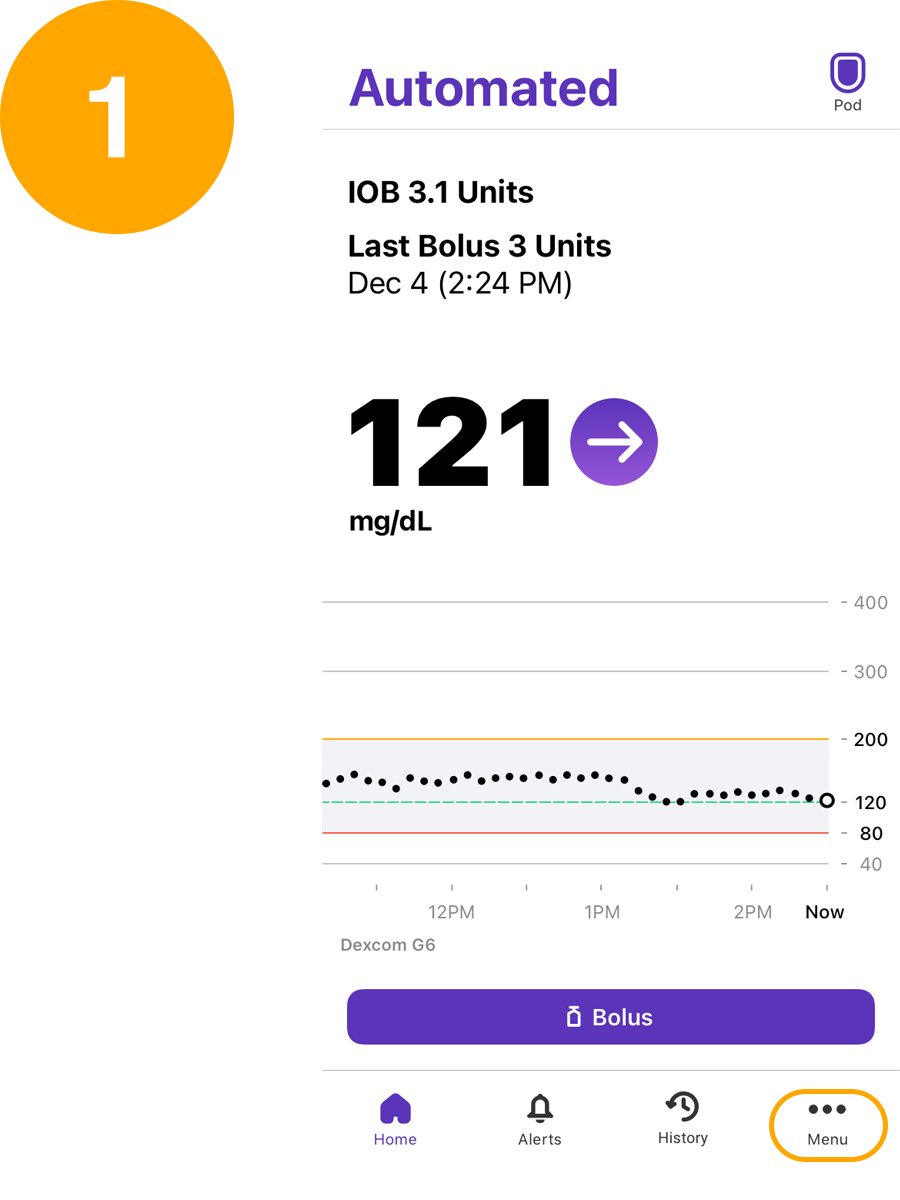
Tap Menu from the home screen
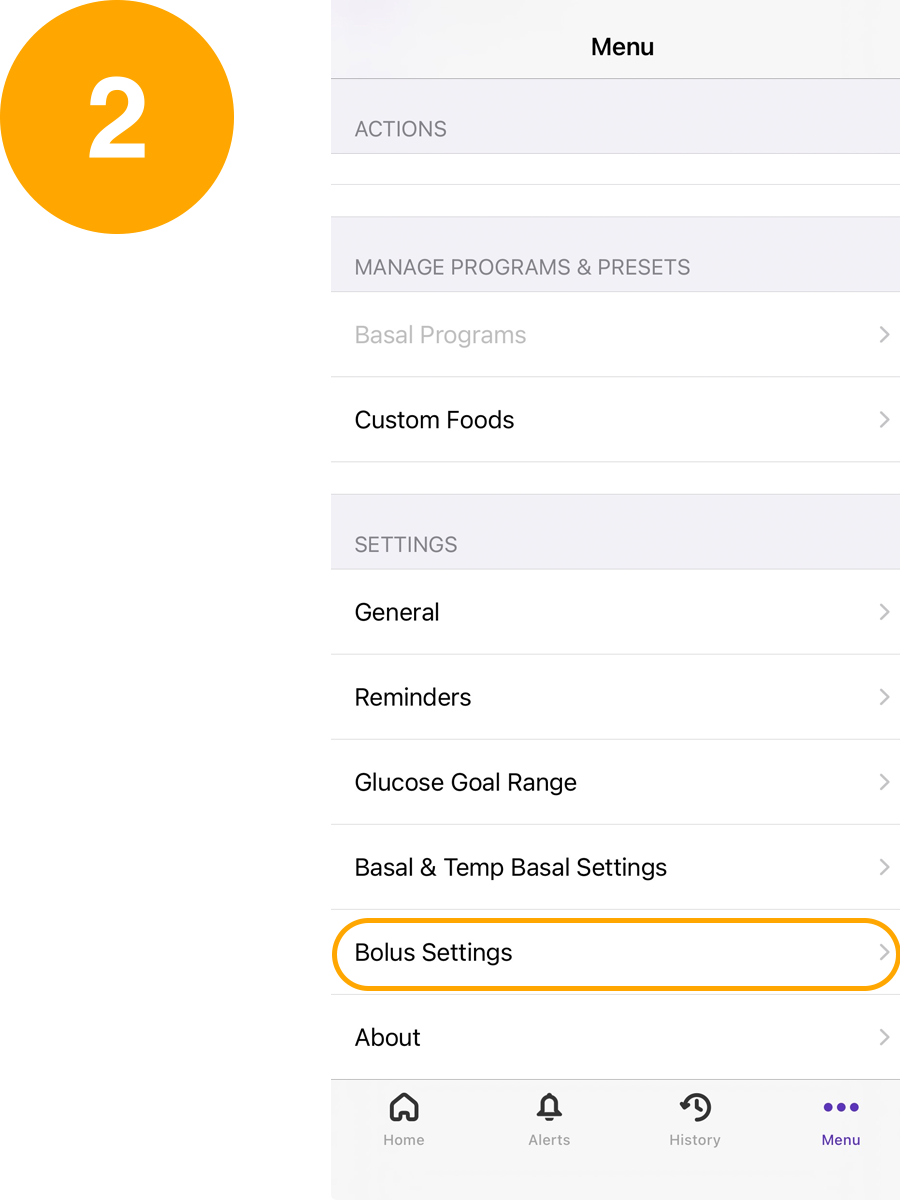
Under Settings, tap Bolus Settings
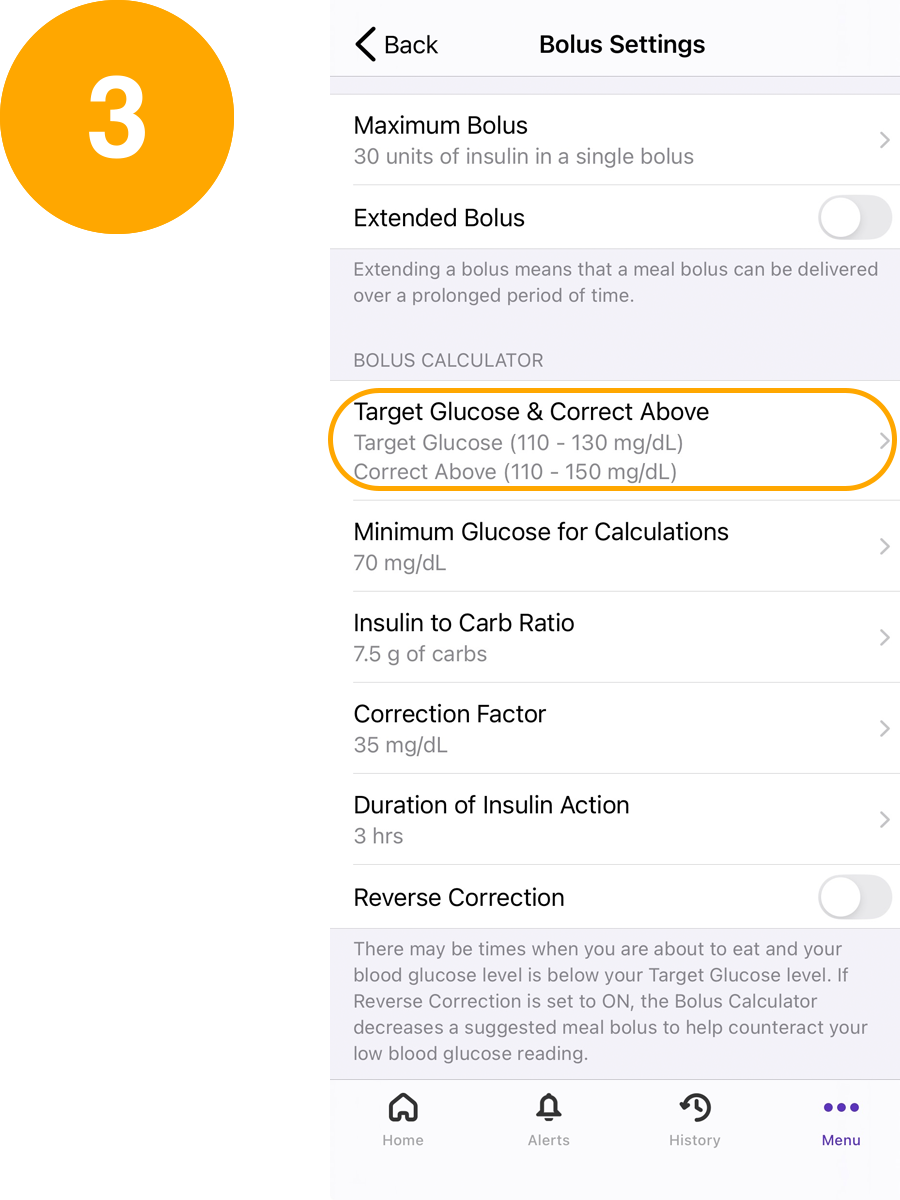
Tap Bolus Setting you want to edit
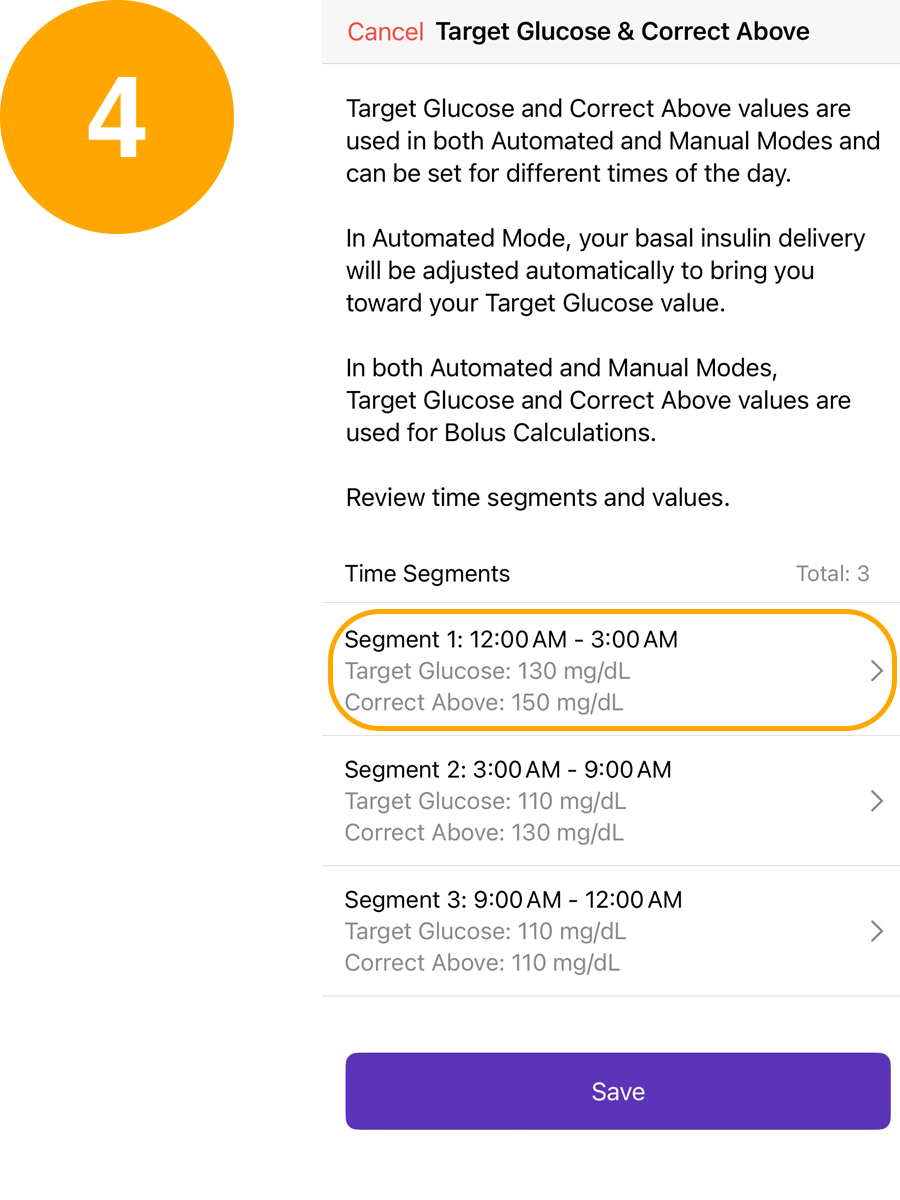
Tap the time segment to edit
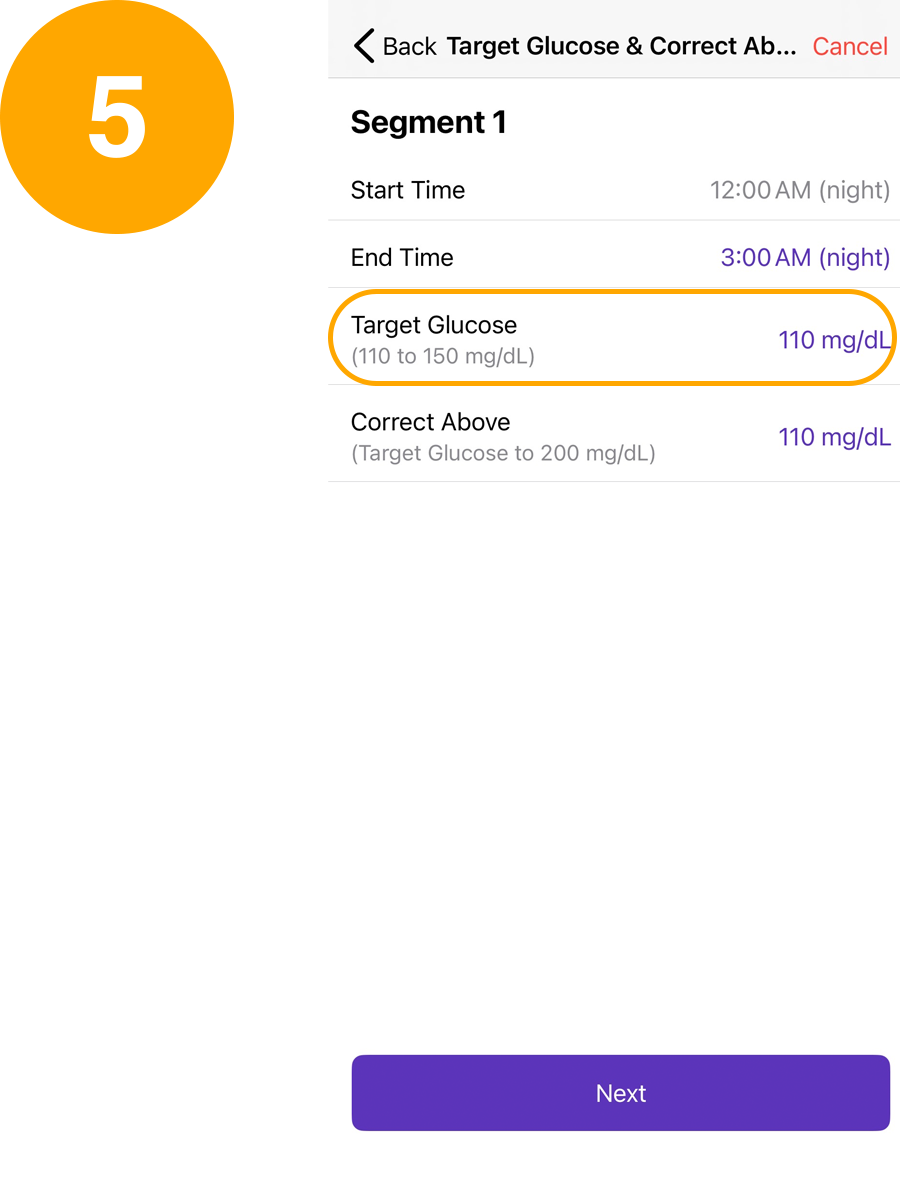
Select desired value and then tap Next
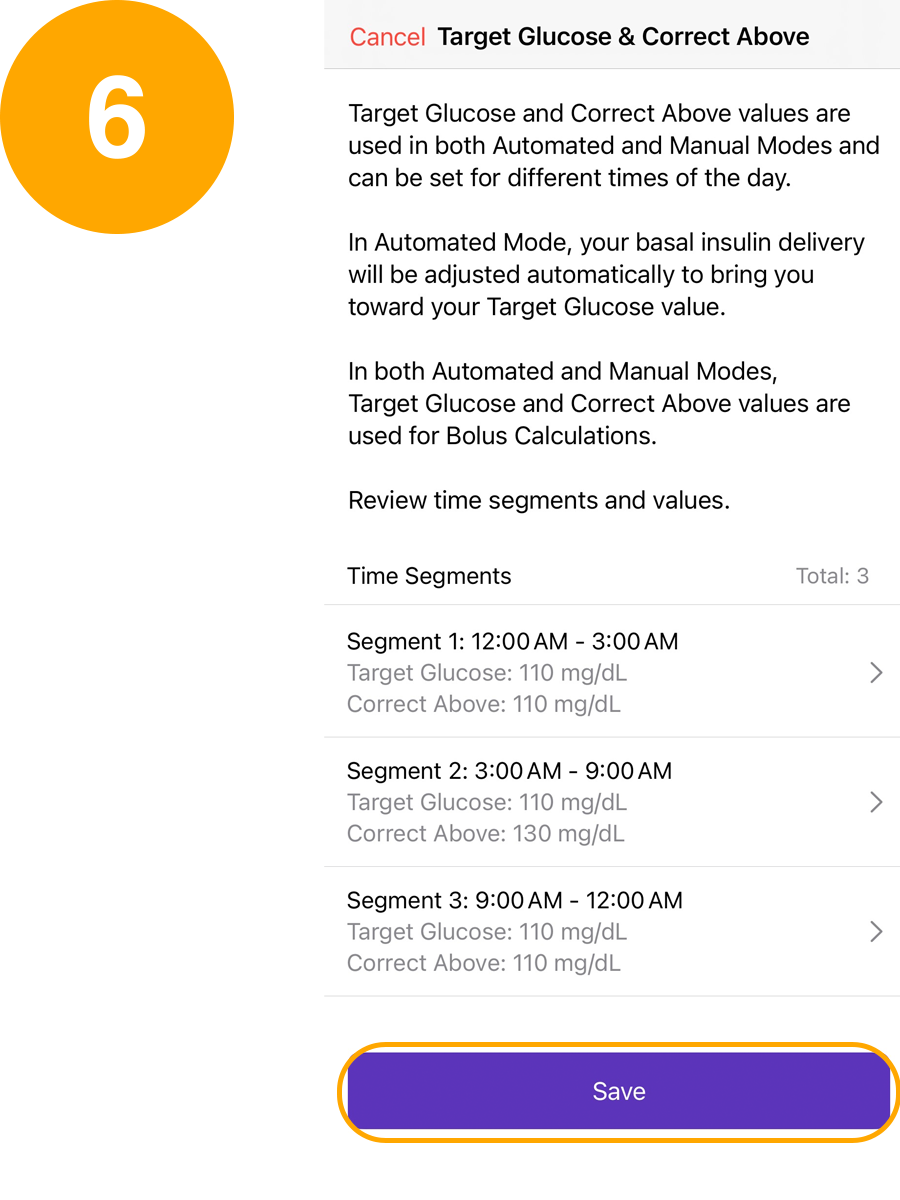
Tap Save
A guide for editing bolus settings on an Omnipod 5 Controller/Android:
Bolus Settings options include Maximum Bolus, Extended Bolus, Target Glucose & Correct Above, Minimum Glucose for Calculations, Insulin to Carb Ratio, Correction Factor, Duration of Insulin Action and Reverse Correction. Talk to your healthcare provider about the right settings, then use this guide to make the changes. For detailed descriptions of each Bolus Setting, review the Omnipod 5 Technical User Guide at omnipod.com/guides.
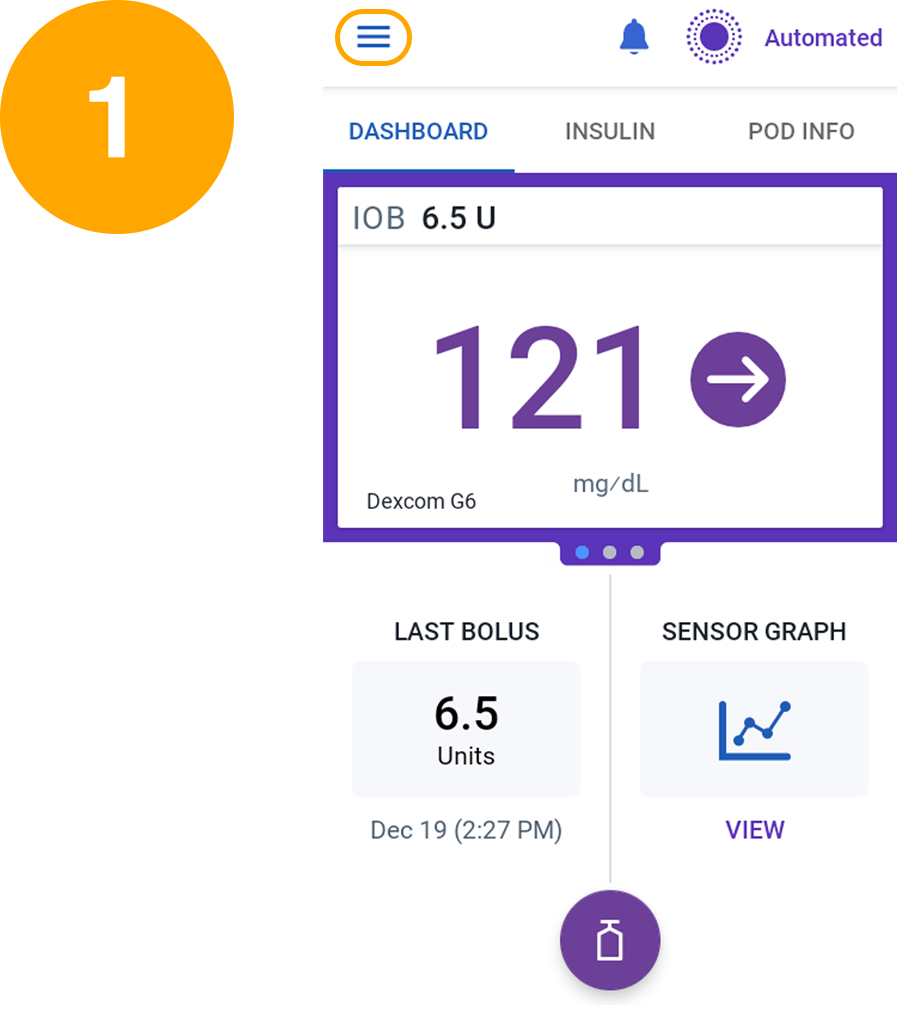
Tap Menu from the home screen
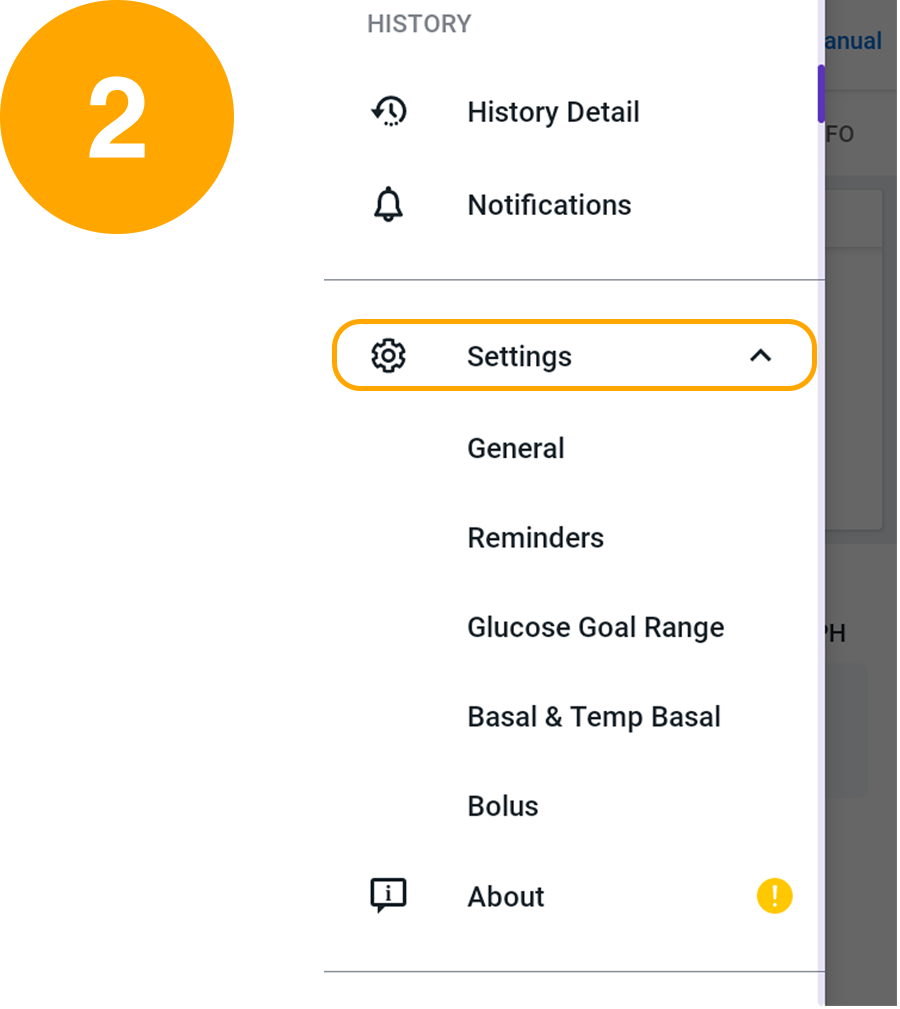
Tap Settings to expand the list
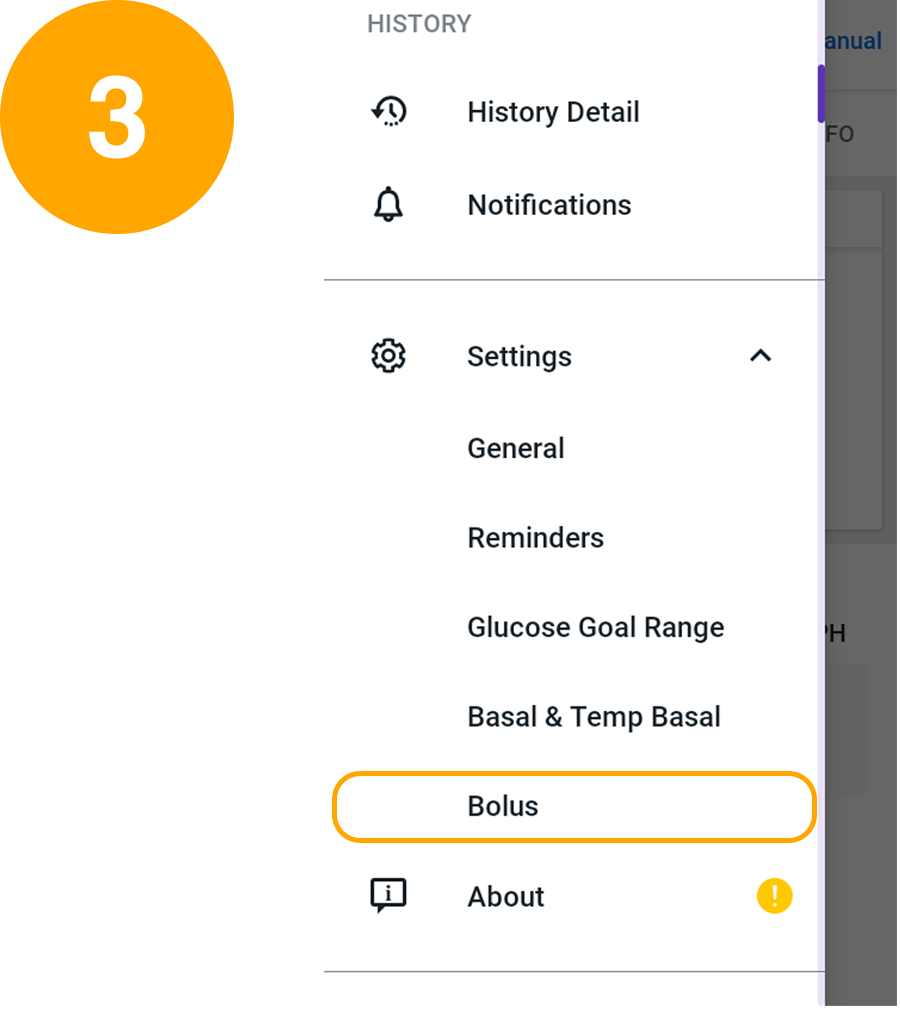
Tap Bolus
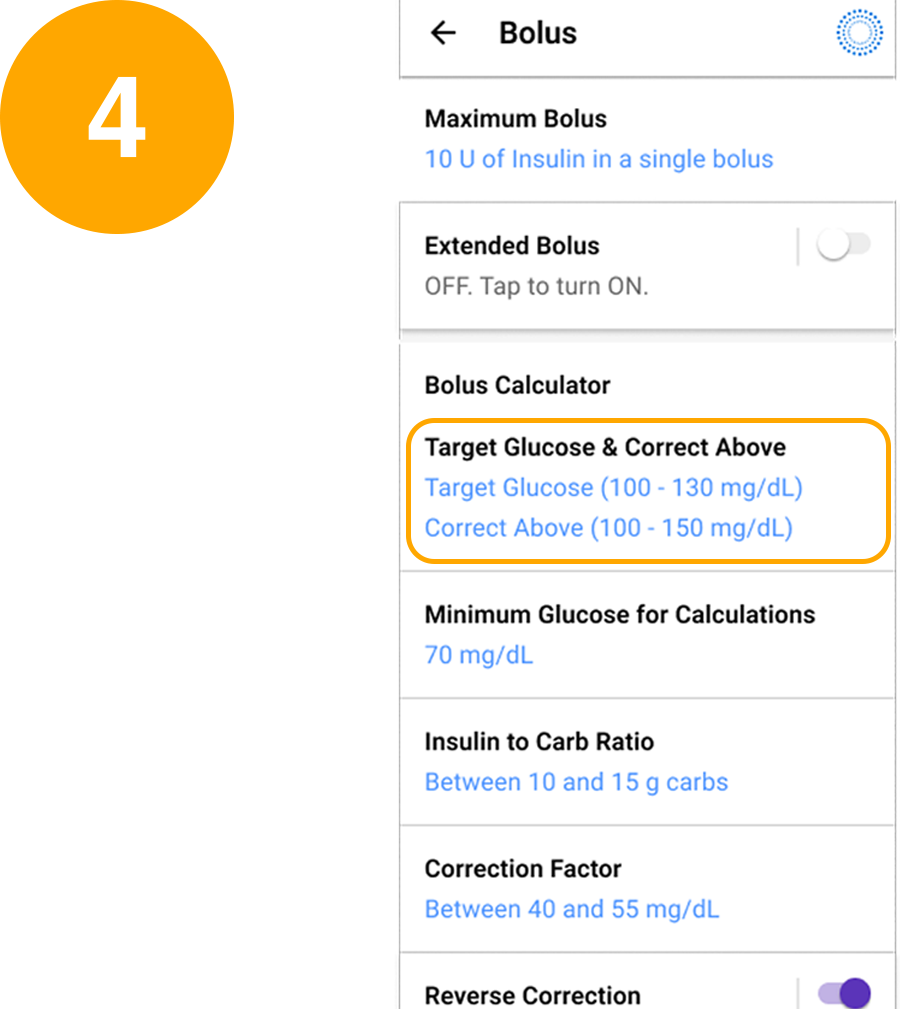
Tap the Bolus setting you want to edit
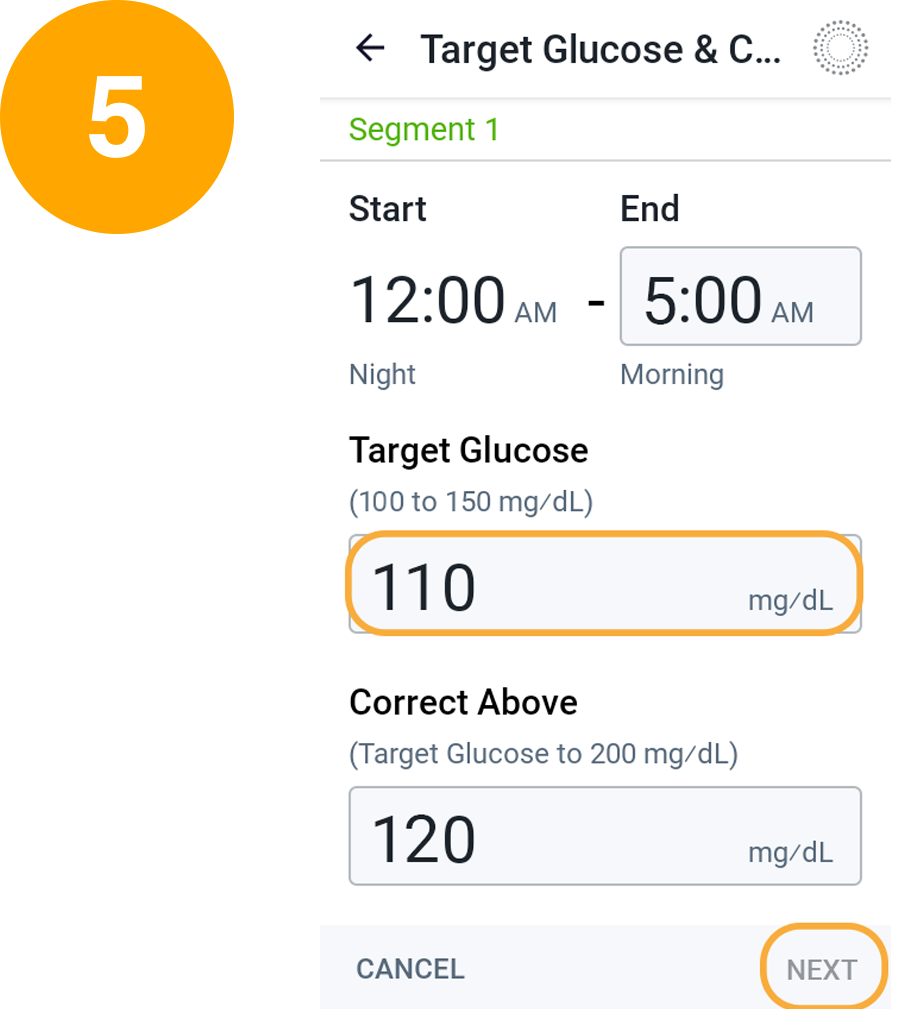
Select desired value and then tap Done and Next
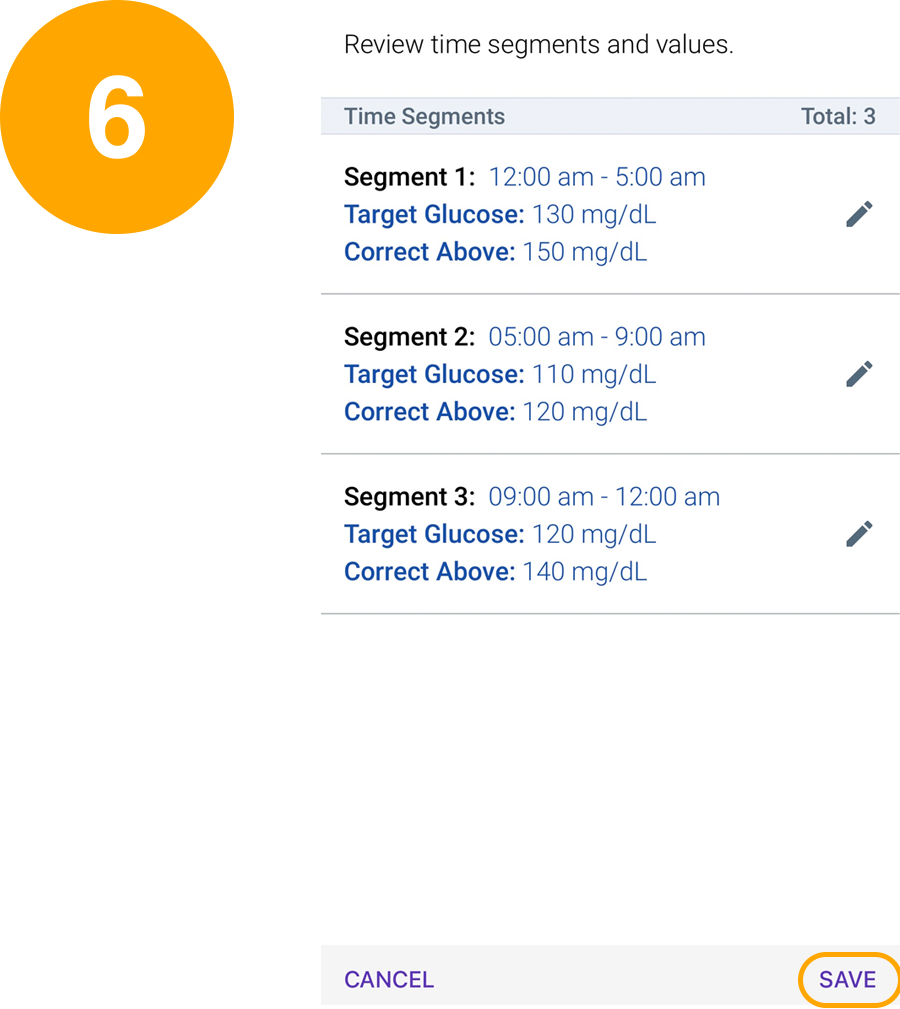
Review changes and tap Save