Understanding Omnipod® 5 Features and Compatible Sensor Options
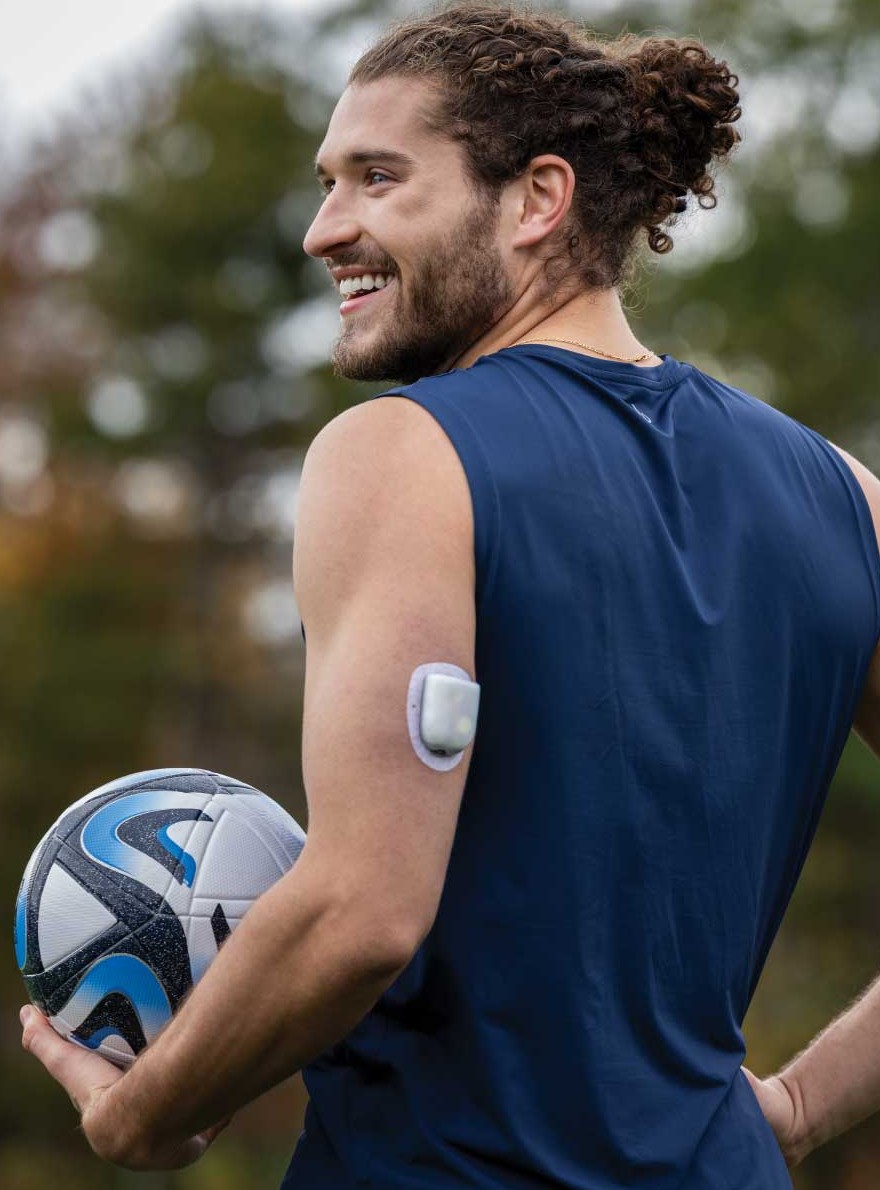
Managing type 1 diabetes has never been more innovative and personalised, thanks to advancements in automated insulin delivery (AID) systems. Among the options, the Omnipod 5 system stands out as one of the best solutions to simplify diabetes management for many patients of different ages. 

This article explores Omnipod 5 and its compatible sensors, customisable features, and real-world cases. These topics are discussed further by healthcare professional experts in the webinar linked below.

Omnipod 5 Features and Compatible Sensors

The Omnipod 5 system integrates seamlessly with leading continuous glucose monitoring (CGM) devices, offering patients choice and flexibility. Omnipod 5 is compatible with sensors such as Dexcom G6, Dexcom G7, and FreeStyle Libre 2 Plus*. Note that some sensors are not supported in all regions. 
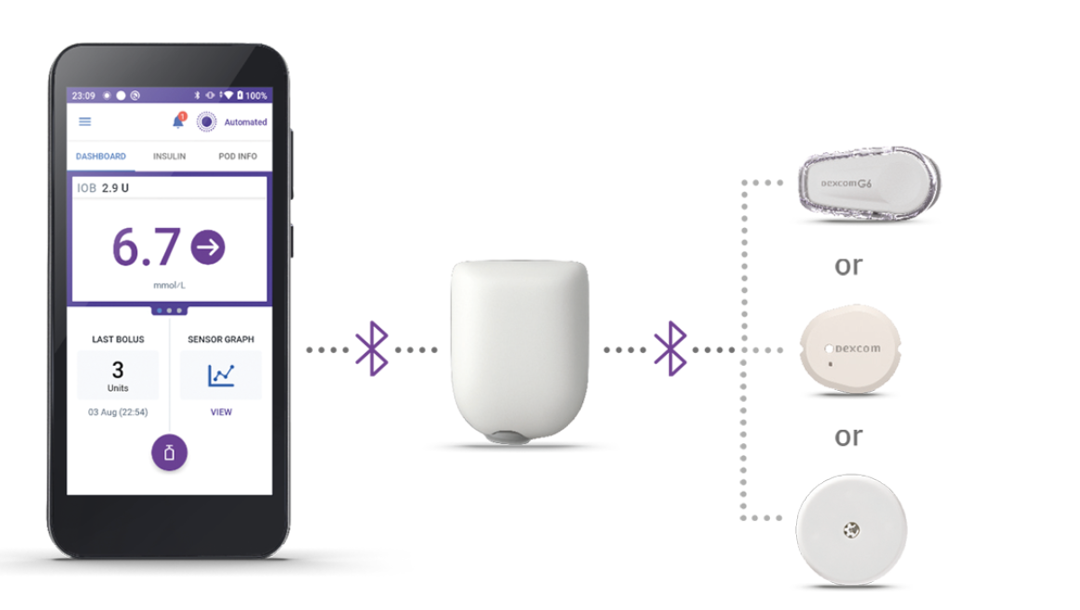
At the heart of the Omnipod 5 system is SmartAdjust™ technology, embedded within the tubeless Pod. This innovative feature autonomously adjusts insulin delivery every five minutes based on CGM data, even when the controller is not nearby

Additionally, with the patient’s consent, data automatically uploads to the Glooko® platform to simplify monitoring, enabling healthcare professionals like yourself to track patients' progress efficiently and remotely. 

Pod and Sensors shown without necessary adhesive Pod and Sensors shown without necessary adhesive
Pod and Sensors shown without necessary adhesive. Sensors sold separately and require a separate prescription.

Tailored Features for Optimal Patient Care

Seamless Sensor Integration

Omnipod 5’s compatibility with multiple CGM devices ensures flexibility in meeting patient needs, offering nuanced options for integration. The Dexcom G6 and Dexcom G7 apps provide features like glucose alerts and trend data, integrating via a mobile app, while the FreeStyle Libre 2 Plus sensor connects directly with the Omnipod 5 controller, eliminating the need for additional applications and simplifying device setup for patients and families.§

Automated Personalisation

The system’s ability to adapt based on recent total daily insulin delivery ensures adaptive basal rates that evolve with each patient’s needs. This feature is particularly valuable for addressing growth spurts, or varying activity levels in paediatric patients. 

Activity and Bolus Management

The Activity Feature is a manual setting (not to be confused with manual mode) that patients can turn on to adjust insulin delivery for periods where they anticipate reduced needs, such as during exercise. Pre-meal bolusing remains critical, and simplified carbohydrate counting (e.g., fixed entries for meal categories) offers a practical approach for patients struggling with precise carb estimation. 

These Real-World Cases Highlight the Personalised Simplicity that Omnipod 5 Provides

Case 1: Glycaemic Control Post-Pregnancy

A 34-year-old woman, with 22 years of experience managing her type 1 diabetes, faced significant challenges in maintaining stable glucose levels, particularly during preconception and post-pregnancy. 

Case 2: Overcoming Exercise Challenges

A 33-year-old professional athlete with type 1 diabetes faced fluctuating glucose levels due to resistance training in the morning and cardio in the evening. 

Learn more about these case studies by watching the webinar.

Your Support Empowers Patients and Families

When it comes to starting patients on an AID system like Omnipod 5, your role extends beyond device setup to empowering families with knowledge and confidence. Simplify their diabetes management process by teaching them about fixed carbohydrate entries, ensuring proper device placement, and providing clear guidance on troubleshooting common issues. By fostering a collaborative relationship, you can help patients and families achieve better outcomes.

For a deeper dive into these topics, view the expert webinar by Dr. Anna-Kaisa Tuomaala from Finland and Dr. Lalantha Leelarathna from the United Kingdom.

*The FreeStyle Libre 2 Plus sensor cannot communicate with other devices or apps while used with Omnipod 5.

†It is recommended to keep the controller nearby to address important alerts/alarms.

‡Must be connected to Wi-Fi or cellular data, and Omnipod 5 users must have Wi-Fi or cellular data access to receive updates in Glooko. Glooko is not intended to provide treatment decisions or to be used as a substitute for professional healthcare advice.

§Compatible with the Dexcom G6 and Dexcom G7 Sensors. Sensor is required for Automated Mode. Boluses for meals and corrections are still necessary. Sensors are sold separately and require a separate prescription. The Dexcom Sensors must be used with the respective Dexcom mobile app. The Dexcom receiver is not compatible. Devices compatible with Dexcom apps can be found at dexcom.com/compatibility. The Dexcom G6 CGM system requires both the sensor and transmitter components.

The Omnipod 5 Automated Insulin Delivery System is a single hormone insulin delivery system intended to deliver U-100 insulin subcutaneously for the management of type 1 diabetes in persons aged 2 and older requiring insulin. The Omnipod 5 System is intended for single patient use. The Omnipod 5 System is indicated for use with NovoLog®/NovoRapid®, Humalog®/Liprolog®, Trurapi®/Truvelog®/Insulin aspart Sanofi®, Kirsty®, and Admelog/Insulin lispro Sanofi U-100 insulin.

Warning: SmartAdjust technology should not be used by anyone under the age of 2 years old or by people who require less than 5 units of insulin per day as the safety of the technology has not been evaluated in this population.

Refer to the Omnipod® 5 Automated Insulin Delivery System User Guide and https://www.omnipod.com/en-gb/hcp/training-and-education/knowledge-hub/the-omnipod-5 for complete safety information including indications, contraindications, warnings, cautions, and instructions.